❓ What is a web designing course?
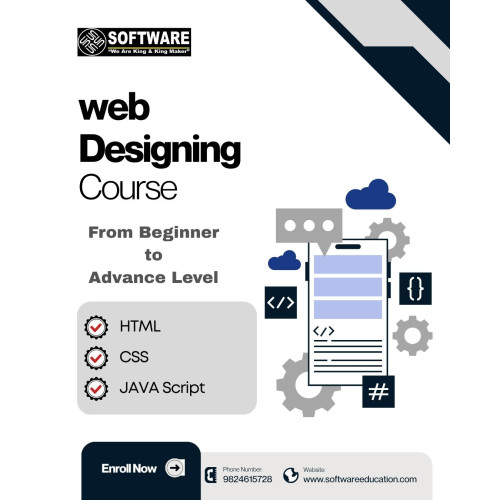
✅ Web designing course teaches you how to create websites using HTML, CSS, and JavaScript.
At Software Education, you learn how to design modern, responsive, and professional websites step by step.
❓ What will I learn in HTML, CSS, and JavaScript course?
✅ In this course, you will learn:
- HTML for website structure
- CSS for design and layout
- JavaScript for interactivity
- Real-world projects for practice
❓ Is web designing easy for beginners?
✅ Yes, web designing is beginner-friendly.
This course starts from basic concepts like HTML tags and gradually moves to advanced design and JavaScript.
❓ How long does it take to learn web designing?
✅ You can learn web designing in 2 to 4 months depending on your practice and batch timing.
❓ Can I create my own website after this course?
✅ Yes, after completing this course, you will be able to create your own portfolio website, landing pages, and business websites.
❓ What is the difference between web designing and web development?
✅ Web designing focuses on UI (HTML, CSS, layout), while web development includes backend coding.
This course focuses on frontend design skills.
❓ Do I need coding knowledge to start web designing?
✅ No, you don’t need any coding knowledge.
This course starts from zero level and teaches everything step by step.
❓ What projects will I build in this course?
✅ You will build:
- Personal Portfolio Website
- Restaurant Menu Website
- Business Landing Page
- Interactive Quiz using JavaScript
❓ Is JavaScript important in web designing?
✅ Yes, JavaScript is used to make websites interactive like buttons, forms, and animations.
❓ Will I learn responsive website design?
✅ Yes, you will learn how to create websites that work perfectly on mobile, tablet, and desktop using CSS.
❓ Can I get a job after web designing course?
✅ Yes, you can apply for roles like:
- Web Designer
- Frontend Developer
- UI Designer
❓ Is this course useful for freelancing?
✅ Yes, you can start freelancing by creating websites for clients after completing this course.
❓ Will I get certificate after course?
✅ Yes, Software Education provides certificate after course completion.
❓ Which is the best web designing course in Ahmedabad?
✅ Software Education offers one of the best web designing courses in Ahmedabad with practical training and real projects.
❓ Do you provide job support?
✅ Yes, we provide interview guidance and job assistance after completing the course.
Module 1: HTML (The Structure)
Learn how to build the “skeleton” of a website.
Introduction to Web: How websites work and what happens when you type a URL.
Text & Headings: Creating titles, paragraphs, and lists to organize content.
Links & Navigation: How to connect different pages and create menus.
Images & Media: Adding photos and videos to make your site look good.
Tables & Forms: Building data tables and contact forms for user input.
Module 2: CSS (The Design)
Learn how to “dress up” your website and make it look professional.
Colors & Backgrounds: Changing text colors and adding beautiful backgrounds.
Fonts & Typography: Using different font styles to make your text easy to read.
The Box Model: Understanding spacing (Margins and Padding) around elements.
Page Layouts: Learning how to place items side-by-side or in specific positions.
Responsive Design: Making sure your website looks great on both Mobile and Desktop.
Module 3: JavaScript (The Brain)
Learn how to add “action” and “logic” to your web pages.
JS Basics: Understanding variables, numbers, and text in programming.
Functions & Events: Making things happen when a user clicks a button or moves the mouse.
DOM Manipulation: How to change the text or color of a website automatically while the user is looking at it.
Form Validation: Checking if a user has entered a correct email or password before they click “Submit.”
Module 4: Real-World Web Projects
Practice your skills by building these actual websites:
✅ Project 1: Personal Portfolio – A website to show your own name, photos, and skills.
✅ Project 2: Restaurant Menu – A colorful page showing food items with prices and descriptions.
✅ Project 3: Landing Page – A professional one-page website for a business or a product.
✅ Project 4: Interactive Quiz – A fun quiz page that tells the user their score using JavaScript.
Why Join This Course?
Start from Zero: No previous coding knowledge is required.
Hand-Written Code: You will learn to write code yourself, not just use templates.
Foundation for Future: This is the first step to becoming a Full-Stack Developer or App Designer.
Direct Results: By the end of this course, you will have your own live websites to show to everyone.