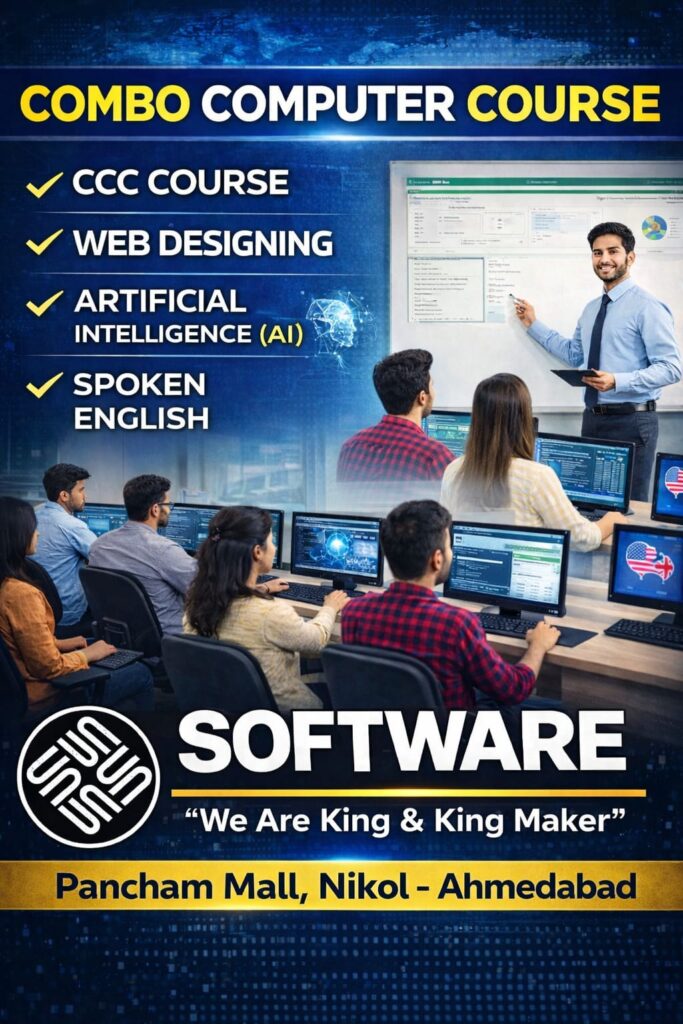
2026 TRENDING Computer Course
(Combo course = CCC + Web Designing+ free Spoken English + free AI)
 Course Overview
This combo course is designed for students, job seekers, and beginners who want to learn both computer basics and website designing skills in one program. Since 2000 – Software Education Nikol Ahmedabad For More Infor CAll & Whatsapp – 9824615728
You will learn everything from basic computer knowledge (CCC) to creating your own websites (Web Designing).
 Plus, you will also get FREE Basic/Advance English + AI tools training to improve communication and modern skills.
 Duration
80 Hours (Flexible Timing Available)
 Course Content
 CCC (Course on Computer Concepts)
🔹 Module 1: Computer Fundamentals & Typing
Basic Computer Fundamentals
English Typing Mastery
Gujarati Typing Skills
🔹 Module 2: MS Word (Documentation & Graphics)
Professional Resume & Visiting Card Design
Advertisement for Selling Car
Birthday Party Invitations & Diwali Greetings
Computer Course Certificate & Educational CD Labels
Business Memo & Professional Invoices
Marketing Survey Forms & Organization Charts
Parent Bulletins & School Newsletters
Recipe Cards & Essay Writing (Music Arts of India)
Tri-fold & Travel Brochures
🔹 Module 3: MS Excel (Data Management & Analysis)
Student Marksheets & Result Analysis
Employee Time Cards & Working Hours Tracking
Professional Balance Sheets & Expense Reports
Monthly Expense Reports & Menu Item Costing
Currency Rate Calculator & Timeline Charts
Book Sell Charts & Digital Address Books
🔹 Module 4: MS PowerPoint (Presentation & Multimedia)
Professional Announcements & Birthday Cards
Computer Book Presentations & Employee Performance Reports
Organization Charts & Digital Photo Albums
Advanced Presentations with Movie Clips & Sound
Educational Quizzes & Relationship Diagrams
Science Posters & Student Results using Charts/Tables
🔹 Module 5: Internet & Digital Services
Internet Fundamentals & Browsing
Email Management: Creating Mail ID & Sending/Receiving Mails
E-Commerce Concepts (Online Shopping & Services)
M-Commerce (Mobile Commerce & Payments)
💼 Career Opportunities:
This course prepares you for roles such as Data Entry Operator, Office Assistant, Back Office Executive, or Computer Operator.
Web Designing
Module 1: HTML (The Structure)
Learn how to build the “skeleton” of a website.
Introduction to Web: How websites work and what happens when you type a URL.
Text & Headings: Creating titles, paragraphs, and lists to organize content.
Links & Navigation: How to connect different pages and create menus.
Images & Media: Adding photos and videos to make your site look good.
Tables & Forms: Building data tables and contact forms for user input.
Module 2: CSS (The Design)
Learn how to “dress up” your website and make it look professional.
Colors & Backgrounds: Changing text colors and adding beautiful backgrounds.
Fonts & Typography: Using different font styles to make your text easy to read.
The Box Model: Understanding spacing (Margins and Padding) around elements.
Page Layouts: Learning how to place items side-by-side or in specific positions.
Responsive Design: Making sure your website looks great on both Mobile and Desktop.
Module 3: JavaScript (The Brain)
Learn how to add “action” and “logic” to your web pages.
JS Basics: Understanding variables, numbers, and text in programming.
Functions & Events: Making things happen when a user clicks a button or moves the mouse.
DOM Manipulation: How to change the text or color of a website automatically while the user is looking at it.
Form Validation: Checking if a user has entered a correct email or password before they click “Submit.”
Module 4: Real-World Web Projects
Practice your skills by building these actual websites:
✅ Project 1: Personal Portfolio – A website to show your own name, photos, and skills.
✅ Project 2: Restaurant Menu – A colorful page showing food items with prices and descriptions.
✅ Project 3: Landing Page – A professional one-page website for a business or a product.
✅ Project 4: Interactive Quiz – A fun quiz page that tells the user their score using JavaScript.
Why Join This Course?
Start from Zero: No previous coding knowledge is required.
Hand-Written Code: You will learn to write code yourself, not just use templates.
Foundation for Future: This is the first step to becoming a Full-Stack Developer or App Designer.
Direct Results: By the end of this course, you will have your own live websites to show to everyone.
 Free Add-ons (Basic/Advance Spoken English)
- Module 1: Sentence & Grammar Basics
Kinds of Sentences
Parts of Speech (Complete Overview)
Nouns: Singular, Plural, and Gender
Pronouns & Demonstratives
Verbs: To Be, To Do, To Have
Usage of ‘There is’ / ‘There are’
Quantity: How Much / How Many
Prepositions (In, On, At, etc.)
Module 2: Tenses – The Complete Mastery (12 Tenses)Present Tense: Simple, Continuous, Perfect, and Perfect Continuous
Past Tense: Simple, Continuous, Perfect, and Perfect Continuous
Future Tense: Simple, Continuous, Perfect, and Perfect Continuous
Module 3: Structure & Functional EnglishImperative Sentences (Commands & Requests)
Modal Auxiliaries (Can, Should, Must, etc.)
Adjectives & Adverbs
Degrees of Comparison (Positive, Comparative, Superlative)
Conjunctions & WH Family (What, Where, Why, etc.)
Active & Passive Voice
Direct & Indirect Speech (Narration)
Professional Email Writing Skills
Module 4: Spoken English & Fluency PracticeSelf-Introduction & Body Language
Picture & Product Description
Talking about Favourite Person & Personalities
Daily Routine & Past Action Narratives
Future Planning & Action Speaking
Job Interview Preparation & Mock Drills
Telephone Conversations & Professional Etiquette
Storytelling, Role Plays & Situational Speaking
Group Discussions & Debate Practice
Extempore Speaking (Spot Speaking Topics)
 Key Highlights:
Focus on both Writing and Speaking skills.
Includes practical Role Plays for real-life confidence.
Complete Grammar foundation for competitive exams.
Exclusive Bonus FeaturesDaily Vocabulary Builder: PDF with 500+ daily use words and phrases.
Practice Worksheets: Topic-wise worksheets for self-assessment.
Speaking Feedback: Personalized feedback on your speaking practice sessions.
Common Mistakes Guide: A guide covering 100+ common English errors.
Interview Cheat Sheet: Top 20 interview questions with professional answers.
 Why Join This Course?
Zero to Hero Level: Learn everything from basic grammar to advanced speaking.
Confidence Building: Special sessions to remove stage fear and hesitation.
Interactive Learning: Focus on real-life debates and group discussions.
Practical Grammar: Learn grammar that is actually used in daily conversation.
 Career Benefits
Master the art of Public Speaking.
Prepare yourself for Corporate jobs and MNC interviews.
Enhance your overall personality and communication skills.
- Free Add-ons (AI)
Artificial Intelligence Course Content
Tools – Canva, Google Lab, Flow, Nano Banana, Notebook LM, Copilot, ChatGPT, Gemini
Module 1: Introduction to Artificial Intelligence
What is Artificial Intelligence
Applications of AI in daily life and business
Difference between AI, Machine Learning, and Automation
Future scope of AI
Module 2: Basics of Data & Logic
Understanding data and its types
How AI works with data
Basic problem-solving and logic building
Module 3: AI Tools for Productivity
Using AI for text, content, and ideas
Using AI for presentations and documents
Using AI for images and creative work
Using AI for business and marketing
Module 4: Prompt Writing Basics
What is a prompt
How to write effective prompts
Improving results using better instructions
Practical exercises
Module 5: AI for Social Media & Marketing
Content creation using AI
Caption and ad copy generation
Idea generation for reels and posts
Basic automation concepts
Module 6: AI for Office & Business Work
Email writing and reports
Data summaries and analysis basics
Productivity improvement using AI
Module 7: Ethics & Limitations of AI
Responsible use of AI
Understanding errors and verification
Data privacy basics
Module 8: Practical Project
Real-world task using AI tools
Content or business project
Final submission
Course Outcome
After completing this course, students will be able to:
Use AI tools for daily work and business
Create content, reports, and marketing material
Improve productivity using AI
Understand basic concepts of Artificial Intelligence
Course Benefits
 Learn basic to advanced computer skills
- Create your own website from scratch
- Improve your English communication
- Learn AI tools for future growth
- Best for students, job seekers, small business owners
- Helps in job, freelancing, and self-business
- Certificate after course completion
Who Can Join?
School / College Students
Job Seekers
Beginners (No experience required)
Business Owners
Housewives
 FAQs
FAQs
1. Do I need any computer knowledge before joining?
No, this course starts from basic level. Anyone can join.
2. Will I get a certificate?
Yes, you will get a certificate after completing the course.
3. Can I create my own website after this course?
Yes, you will be able to design and launch your own website.
4. Is English compulsory?
No, but free English training is provided to help you grow.
5. What job opportunities will I get?
You can apply for computer operator jobs, web designer roles, or start freelancing.
6. Are AI tools really useful?
Yes, AI tools help you work faster and smarter in today’s digital world.
 Course Name Course Name |  Duration Duration |  Fees (INR) Fees (INR) |
|---|---|---|
| CCC | Included in Combo | ₹ 4,000 |
| Web Designing | Included in Combo | ₹ 8,900 |
| Free Course Artificial Intelligence (AI) | Bonus | ₹ 11,900 |
| Free Course (Basic / Advance English) | Bonus | ₹ 8900 |
 Combo Offer Price Combo Offer Price | 80 Hours | ₹ 16,900 Only |
 Total Individual Value:
₹ 4,000 + ₹ 8,900 + ₹ 11,900 + ₹ 8900 = ₹ 33,700 Pay Only ₹ 16,900
Course Benefits
 100% Practical Training Job-Oriented Skills Certificate Provided Helpful for Job, Business & Freelancing
 Limited Seats – Secure Your Admission Today
 Call / WhatsApp Now & Start Your Career Growth